
"Which YOLO should I use?" is the question I get most, usually as a matchup: YOLO26 vs YOLOv8, or YOLO26 vs YOLO11. This post puts all three side by side with the numbers their makers actually published, explains what changed between them in plain words, compares speed on CPU and GPU, and gives you a straight answer for common situations.
No re-run benchmarks and no hype: every accuracy number below is COCO val2017 mAP50-95 at 640px as published by Ultralytics, the same figures on the model weights pages. Where I quote speed numbers, they come from Ultralytics' own tables and I say which hardware they were measured on.
First, the hard words in plain English
This post uses a few technical terms. Here is what each one means, so the rest reads easily. Skip ahead if you already know them.
- YOLO: "You Only Look Once", a family of models that find objects in an image in a single, fast pass.
- Object detection: finding objects in a picture and drawing a box around each one.
- mAP (mean Average Precision): one score, from 0 to about 60 here, for how accurate a detector is. Higher is better.
- COCO: a big, standard image dataset everyone tests on, so different models can be compared fairly.
- Parameters: the numbers a model learns during training. More parameters usually means a bigger, slower, more accurate model.
- FLOPs: roughly how much math the model does per image. More FLOPs means slower.
- Inference: running the trained model to get predictions (the opposite of training it).
- Latency: how long one image takes to process. Lower is better.
- FPS (frames per second): how many images or video frames the model handles each second. Higher is better.
- CPU / GPU: a CPU is a normal processor; a GPU is a graphics card that runs AI models much faster.
- Edge device: a small, low-power computer like a phone, a Raspberry Pi, or a smart camera, instead of a big server.
- Anchor-free: a newer design that predicts boxes directly, instead of adjusting from a set of preset box shapes called "anchors". Fewer settings to tune.
- Backbone, neck, head: the three parts of the model: the backbone reads the image, the neck mixes the features together, and the head outputs the boxes.
- NMS (non-maximum suppression): a clean-up step that deletes duplicate, overlapping boxes so each object keeps just one.
- NMS-free / end-to-end: the model outputs final boxes directly, with no separate clean-up step. Faster and simpler.
- DFL (Distribution Focal Loss): a training trick older YOLOs used to place boxes more precisely. YOLO26 drops it to keep the model simple.
- Checkpoint / weights (.pt file): the saved, trained model you download and load.
- ONNX / TensorRT / TFLite / OpenVINO: formats and tools you convert a model into so it runs fast on different hardware.
- Quantization (INT8 / FP16): shrinking a model to use smaller numbers so it runs faster and lighter, usually with little accuracy lost.
- Segmentation: outlining an object's exact shape, not just a box around it.
- Pose estimation: finding body keypoints (joints) like elbows, shoulders and knees.
- OBB (oriented bounding box): a box that can tilt, for angled objects such as aerial photos or text.
- AGPL-3.0: a free, open-source license. Free for open-source projects, research and learning; closed-source commercial use is covered by an Ultralytics Enterprise license.
What these models do
They all take one image and return boxes around the objects in it, each with a label ("person", "car") and a confidence score. Most can also do more than boxes: outline exact shapes (segmentation), find body joints (pose), and handle tilted boxes (OBB). Same idea, six generations, getting faster and more accurate each time.
They are also built the same way, in three parts: a backbone that reads the image, a neck that mixes the features together, and a head that draws the boxes. Loading any of them is one line of code (from ultralytics import YOLO). What changed between versions is what happens inside those parts, and, in YOLO26, what happens after the head.
The short version
- YOLOv5 (2020, "v5u" refresh): the one that made YOLO easy. Still the most-deployed YOLO in the wild, and still the answer when you inherit a legacy pipeline. Last on accuracy-per-parameter by a wide margin.
- YOLOv8 (2023): the anchor-free workhorse that made multi-task YOLO mainstream. Biggest ecosystem, most tutorials, most transfer-learning checkpoints in the wild.
- YOLOv9 (2024, Academia Sinica): the accuracy specialist. Its PGI/GELAN design squeezes very high mAP out of very few parameters, but it is GPL-3.0 and covers only detection and segmentation.
- YOLOv10 (2024, Tsinghua): the first widely-used NMS-free YOLO, and the leanest at the top end: YOLOv10x reaches 54.4 mAP on 29.5M parameters, roughly half of YOLO11x.
- YOLO11 (2024): the safe all-round default. Matches YOLOv8 accuracy with fewer parameters, supports all five tasks, and has enough real-world mileage to trust in production.
- YOLO26 (2026): the newest and most accurate here, NMS-free and end-to-end, which makes it faster on CPU and edge and simpler to export.
Published accuracy and size, per variant
All numbers are the authors' published COCO val2017 mAP50-95 at 640px (higher is better). YOLOv9 and YOLOv10 name their variants differently; the closest size tier is used, with the original label in brackets.
Accuracy (COCO mAP50-95, 640px)
| Family | Year | Nano | Small | Medium | Large | X-Large |
|---|---|---|---|---|---|---|
| YOLOv5 (v5u) | 2020 | 34.3 | 43.0 | 49.0 | 52.2 | 53.2 |
| YOLOv8 | 2023 | 37.3 | 44.9 | 50.2 | 52.9 | 53.9 |
| YOLOv9 | 2024 | 38.3 (t) | 46.8 | 51.4 | 53.0 (c) | 55.6 (e) |
| YOLOv10 | 2024 | 39.5 | 46.7 | 51.3 | 53.3 | 54.4 |
| YOLO11 | 2024 | 39.5 | 47.0 | 51.5 | 53.4 | 54.7 |
| YOLO26 | 2026 | 40.9 | 48.6 | 53.1 | 55.0 | 57.5 |
Size (parameters, millions)
| Family | Year | Nano | Small | Medium | Large | X-Large |
|---|---|---|---|---|---|---|
| YOLOv5 (v5u) | 2020 | 2.6M | 9.1M | 25.1M | 53.2M | 97.2M |
| YOLOv8 | 2023 | 3.2M | 11.2M | 25.9M | 43.7M | 68.2M |
| YOLOv9 | 2024 | 2.0M | 7.1M | 20.0M | 25.3M | 57.3M |
| YOLOv10 | 2024 | 2.3M | 7.2M | 15.4M | 24.4M | 29.5M |
| YOLO11 | 2024 | 2.6M | 9.4M | 20.1M | 25.3M | 56.9M |
| YOLO26 | 2026 | 2.4M | 9.5M | 20.4M | 24.8M | 55.7M |
Four things jump out:
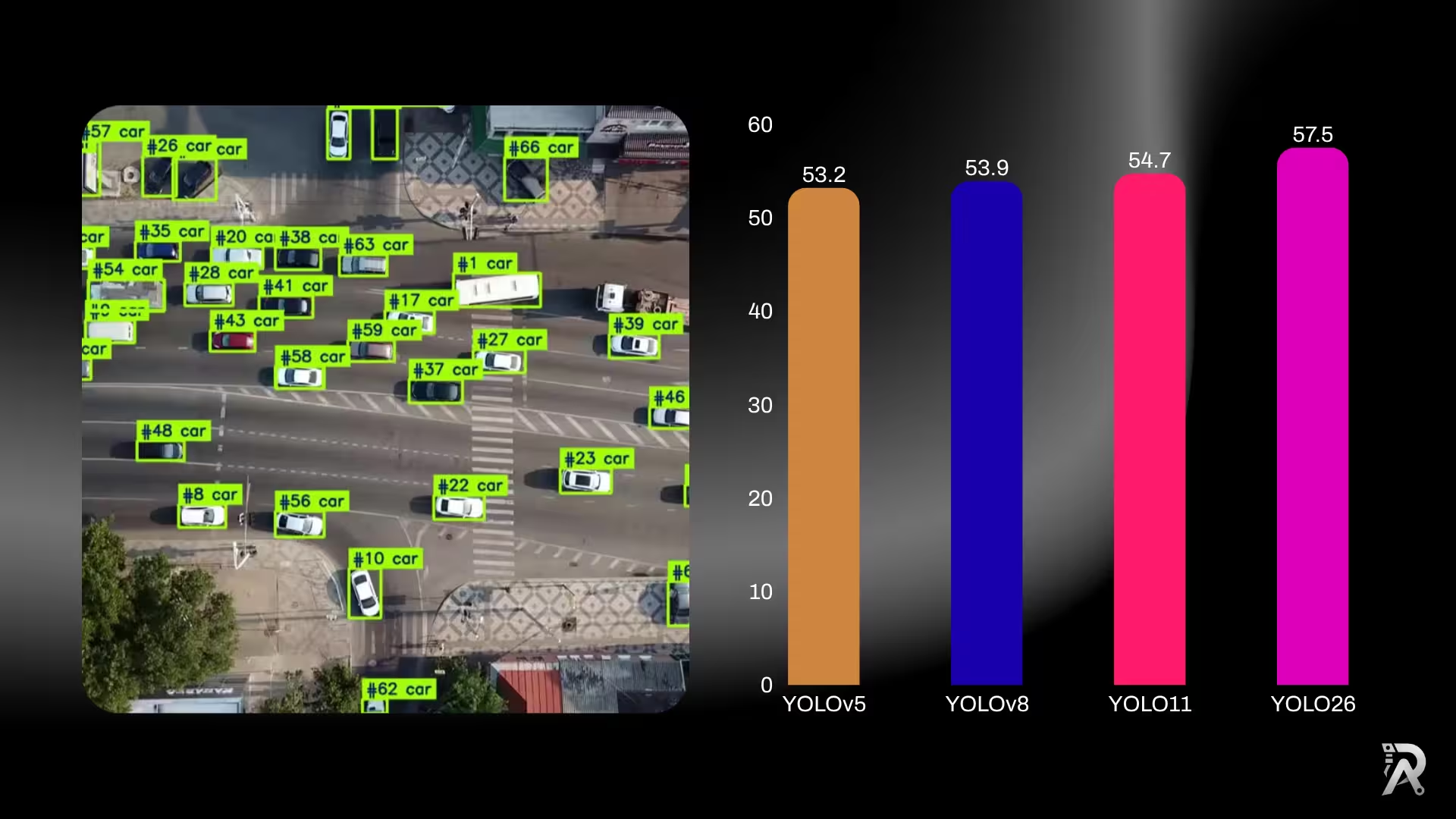
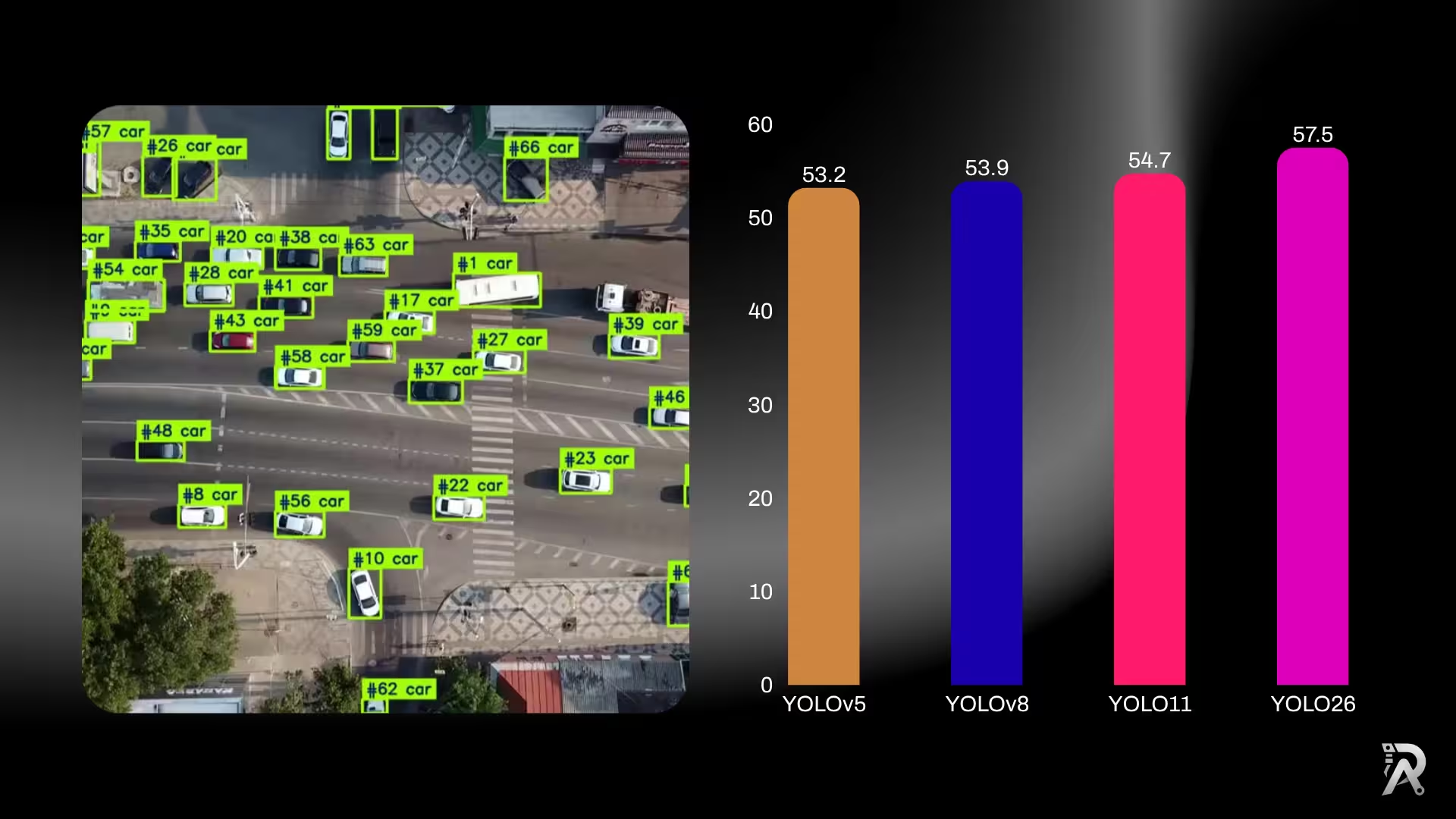
- Accuracy climbs with each generation at every size. YOLO26 leads its row in all five tiers, and the gap is widest at the large end: YOLO26x is +3.6 mAP over YOLOv8x and +4.3 over YOLOv5xu.
- The parameter count fell hard after YOLOv8, then held. YOLO11l beats YOLOv8l with almost half the parameters (25.3M vs 43.7M), and YOLOv5xu needs 97.2M to reach what YOLO26n-class models now approach with a fraction of that. This efficiency jump is the headline reason to leave the older generations behind for new work.
- YOLOv10 is the outlier on efficiency. YOLOv10x posts 54.4 mAP on 29.5M parameters, within 0.3 of YOLO11x on half the weights. If your constraint is model size rather than raw accuracy, it deserves a look.
- YOLOv9 wins the small-model efficiency race. YOLOv9t reaches 38.3 mAP on 2.0M parameters, the best accuracy-per-parameter in the nano tier. Its licence is the catch; see below.
How each generation is built
The numbers above are the result. Here is why they moved. Each version changed a specific part of the network.
YOLOv5 (2020): the one that made YOLO easy
YOLOv5 is where most teams met YOLO. It was the first release built as a product rather than a paper (pip-installable, sensible defaults, exports that worked), and that is why it is still running in production somewhere near you. Architecturally it is a generation behind: anchor-based (it adjusts from a grid of preset box shapes, which means anchors to tune) and built from older C3 blocks.
The numbers above are for the v5u refresh, which retrofits YOLOv5 with the anchor-free, decoupled head from YOLOv8. Even so, it needs 97.2M parameters to reach 53.2 mAP, a number YOLO26 beats with 24.8M. If you are choosing today, choose something newer; if you inherited a YOLOv5 pipeline, the v5u weights are the cheapest upgrade path.
YOLOv8 (2023): the anchor-free baseline
YOLOv8 made two changes that everything since builds on. It went anchor-free: it predicts box centers directly, instead of adjusting from a grid of preset "anchor" box shapes. That meant far fewer settings to tune. It also used a decoupled head, giving the "what is it" and "where is it" jobs their own branches so each does its task better. Its backbone is built from C2f blocks, a design that helps the model learn better than YOLOv5's older C3 block. This is the version that made one YOLO cover detection, segmentation, pose, classification and OBB.
YOLOv9 (2024): accuracy per parameter, at a licensing cost
YOLOv9 comes from Academia Sinica rather than Ultralytics, and it targets one specific problem: deep networks lose information as data passes through them. Its two answers are PGI (Programmable Gradient Information, which keeps a reliable gradient path to the early layers) and GELAN, a backbone designed around that path.
The result is the best accuracy-per-parameter in the small tiers: YOLOv9t hits 38.3 mAP on 2.0M parameters, beating YOLOv8n's 37.3 on 3.2M. Two caveats decide whether you can use it. It is GPL-3.0, not AGPL, which is a different obligation from the Ultralytics models and one your legal team will want to read. And it covers detection and segmentation only: no pose, no OBB, no classification.
YOLOv10 (2024): NMS-free, two years early
YOLOv10 (Tsinghua) got to end-to-end inference before YOLO26 did. It drops non-maximum suppression using consistent dual assignments: during training the model learns from both a one-to-many head (rich supervision) and a one-to-one head (no duplicates), then ships only the one-to-one path. No NMS at inference, no duplicate-box clean-up.
It is also the leanest model in this comparison at the top end. YOLOv10x reaches 54.4 mAP on 29.5M parameters, within 0.3 mAP of YOLO11x, on roughly half the weights. If you are size-constrained rather than accuracy-constrained, this is the row to look at. Like YOLOv9, it is detection-focused rather than multi-task.
YOLO11 (2024): same idea, more efficient
YOLO11 kept the anchor-free, multi-task design and tightened the internals:
- C3k2 blocks replace YOLOv8's C2f in the backbone and neck. C3k2 uses two smaller convolutions instead of one large one, which is cheaper to compute while keeping accuracy. This is where the big parameter drop comes from.
- C2PSA module adds a light "attention" step near the end of the backbone. Attention lets the model focus on the important parts of the image, which helps it hold onto small and partly-hidden objects, exactly where accuracy is won or lost.
- An optimized feature-pyramid neck fuses multi-scale features more effectively.
The payoff is the efficiency you saw in the table: YOLO11m matches YOLOv8m accuracy with roughly 22% fewer parameters.
YOLO26 (2026): the head and the post-processing change
YOLO26 keeps YOLO11's efficient backbone but changes the end of the pipeline, and that is the part that matters most when you deploy the model.
Where YOLOv7 fits (and why it is not in the table)
YOLOv7 (Wang et al., 2022) sits between YOLOv5 and YOLOv8 in the lineage and introduced E-ELAN plus a set of "trainable bag-of-freebies" training tricks. It is deliberately not in the tables above, and the reason is methodological rather than dismissive: its headline published figures are not measured on the same footing as the rest of this page. The comparison here holds input size constant at 640px so the rows mean something, and quoting a number measured at a different resolution beside them would flatter or punish it for the wrong reason.
Practically: YOLOv7 is GPL-3.0, is not maintained inside the Ultralytics ecosystem, and has no multi-task support. If you are on YOLOv7 today, the honest recommendation is the same as for YOLOv5. It works, and anything from YOLOv8 forward will give you more accuracy per parameter with less to maintain.
The change that matters most: YOLO26 is NMS-free
For years every YOLO produced a pile of overlapping candidate boxes and then ran non-maximum suppression (NMS) to filter them down to one box per object. NMS works, but it is a separate post-processing step that runs on the CPU, adds latency, and is awkward to export to formats like ONNX and TensorRT.
YOLO26 drops it. Its head is trained to output the final boxes directly, so there is no clean-up step at the end. At the same time it removes Distribution Focal Loss (DFL) from the box part of the head. DFL helped older YOLOs place boxes precisely, but it adds an extra step that small devices run slowly. Taking it out makes the model simpler to convert and deploy. Together, these two removals mean:
- Faster CPU and edge inference, where NMS was a real slice of the per-frame budget. Ultralytics reports up to 43% faster CPU ONNX inference for YOLO26n versus YOLO11n (measured on an Intel Xeon at 2.00 GHz).
- Cleaner exports and easier shrinking. With no NMS and no DFL, the model converts to ONNX, TensorRT, CoreML, TFLite and OpenVINO more cleanly, which makes the smaller, faster INT8 and FP16 versions easier to build with little accuracy lost.
- Simpler, more predictable timing. The biggest gains show up when processing one image at a time, the usual case for live video and edge devices, where the old clean-up step used to eat a large share of the time.
YOLOv8 and YOLO11 still use NMS. If most of your deployment is CPU or embedded, this single difference is often worth more than the couple of mAP points. If you want to see it on your own footage rather than trust a generic claim, I built a harness for exactly this in YOLO26 vs YOLO11: real-time ONNX FPS benchmark.
What's new in YOLO26's training (not just its architecture)
Some of YOLO26's gains come from how it is trained, not from the network shape, which is why it can be more accurate and smaller at the same time:
- ProgLoss (Progressive Loss Balancing). During training, the model gradually shifts its focus toward what matters most when the model is actually used. This makes training steadier and lifts accuracy, and it costs nothing extra at run time.
- STAL (Small-Target-Aware Label assignment). A smarter way of teaching the model about small, hard-to-see objects, the tiny, faraway ones that usually drag scores down. It is a big reason YOLO26 improves most on the difficult cases.
- MuSGD optimizer. The "optimizer" is the method that adjusts the model during training. YOLO26 uses a new one that borrows ideas from how large language models are trained, so training is more stable.
None of these change the final model you download. They only happen during training, so you get the benefit for free when you use the pretrained weights or fine-tune your own.
Speed: CPU and GPU
Accuracy is only half the decision; here is how the three behave at runtime.
- On CPU (ONNX Runtime) YOLO26 is the clear leader, because removing NMS + DFL cuts the post-processing that dominates CPU latency at batch size 1. This is the deployment where the generation gap is largest.
- On GPU (TensorRT) all three are fast enough that the differences shrink to a few milliseconds. Ultralytics lists YOLO26 at roughly 1.7 ms (nano) to 11.8 ms (x) per image on an NVIDIA T4 with TensorRT, comfortably real-time across the ladder.
- Memory: YOLO26 also reports lower GPU memory use in both training and inference, which helps on smaller cards and embedded GPUs.
The practical takeaway: pick your model by CPU speed if you deploy on CPU or edge (YOLO26 wins clearly there), and by accuracy if you deploy on GPU (where all three are fast and YOLO26 still leads on mAP).
Beyond detection: segmentation, pose and OBB
All three are multi-task, but YOLO26's gains are not limited to detection. Against YOLO11, Ultralytics reports YOLO26 improving instance segmentation (up to +2.5 box AP / +3.7 mask AP), pose estimation (up to +7.2 AP), and oriented bounding boxes (up to +3.4 mAP). If your project is segmentation or pose rather than plain detection, that pose gain in particular is a strong reason to reach for YOLO26.
Tasks and ecosystem
All three are multi-task and anchor-free. YOLOv8, YOLO11 and YOLO26 each cover detection, segmentation, classification, pose and oriented bounding boxes (OBB) from one architecture. Where they differ is maturity:
- YOLOv8 has the deepest bench of tutorials, third-party integrations, and pretrained community weights. If you are searching for "how do I do X with YOLO," the answer was probably written against YOLOv8.
- YOLO11 inherited almost all of that tooling and is now the default in most Ultralytics docs.
- YOLO26 is the newest, so expect fewer third-party guides for a while, even though the API is the same
from ultralytics import YOLO.
Licensing (read this before you ship)
All three are AGPL-3.0, and for most people that is good news: they are completely free to use, study, modify and share for open-source projects, research, learning and evaluation. If your own project is open-source, you are already covered.
For a closed-source commercial product or a paid service, Ultralytics offers an Enterprise license that removes the open-source requirement. It is a simple, officially supported path that also comes with commercial support and priority updates, and it helps fund the continued development of these models. Because the terms are identical across YOLOv8, YOLO11 and YOLO26, you can choose purely on accuracy and speed and know the licensing story is the same either way.
So which one should you use?
- Starting a new project? Use YOLO11n or YOLO26n. Both are small, fast and accurate. Go YOLO11 for maximum stability and community support; go YOLO26 for the best accuracy and NMS-free export.
- Deploying on CPU, mobile or embedded? Prefer YOLO26 for its NMS-free speed, then confirm with a real FPS test on your target device.
- Chasing the top accuracy number? YOLO26 leads at every size, most clearly at m/l/x.
- Extending an existing YOLOv8 codebase or fine-tuning from YOLOv8 weights? Stay on YOLOv8; the upgrade is not worth breaking a working pipeline unless you need the accuracy or speed.
- Want the widest set of tutorials and integrations? YOLOv8 still wins on sheer volume, with YOLO11 close behind.
- Hard model-size budget? Look at YOLOv10 first, because it is the most accurate model per megabyte in this comparison at the large end.
- Still on YOLOv5 or YOLOv7? Both work, neither is where you should start in 2026. The cheapest move off YOLOv5 is the v5u weights; the better one is YOLO11.
- Legal review is strict? Note that YOLOv9 is GPL-3.0 and the Ultralytics models are AGPL-3.0. Those are different obligations; check before you build on either.
Whatever you pick, grab the checkpoints from the model weights pages: YOLO26, YOLO11, YOLOv10, YOLOv9, YOLOv8 and YOLOv5, each with per-variant accuracy, size and license in view.
Cheat-sheet: pick in 10 seconds
| What you care about most | Best pick | Why |
|---|---|---|
| Highest accuracy | YOLO26 | Leads mAP at every size, most clearly on the bigger models. |
| Fastest on CPU / phone / edge | YOLO26 | NMS-free, so it skips the slow clean-up step; up to 43% faster CPU inference. |
| Safe, well-supported default | YOLO11 | Great accuracy, tons of tutorials and integrations, proven in production. |
| Most tutorials and community code | YOLOv8 | Oldest of the three, so the biggest pile of guides and ready-made weights. |
| Segmentation or pose work | YOLO26 | Biggest gains here versus YOLO11 (up to +3.7 mask AP, +7.2 pose AP). |
| Reusing an existing YOLOv8 project | YOLOv8 | Don't break a working pipeline unless you need the extra speed or accuracy. |
| Smallest model at a given accuracy | YOLOv10 | 54.4 mAP on 29.5M parameters, about half the weights of YOLO11x for 0.3 less mAP. |
| Best accuracy under 3M parameters | YOLOv9 | YOLOv9t: 38.3 mAP on 2.0M. Check the GPL-3.0 licence first. |
| Inheriting a YOLOv5 or YOLOv7 codebase | YOLOv5u, then plan a move | v5u retrofits the modern head onto YOLOv5 weights; treat it as a bridge, not a destination. |
| Closed-source commercial product | any of them + Enterprise license | All three are AGPL-3.0; an Ultralytics Enterprise license covers closed-source use, with official support. |
For most people starting fresh in 2026, the honest one-liner is: try YOLO11n first for stability, or YOLO26n if you want the newest and fastest, and both download and run the same way.
The honest caveat
Cross-generation mAP numbers tell you the tier, not the whole story. Your dataset, image resolution, training recipe and the hardware you deploy on move real-world results more than a point or two of COCO mAP. Treat this table as the starting point, then train the two finalists on your data and measure speed on your device before you commit.
Keep going
- Every YOLO version pair, head to head: the full matrix of accuracy and size comparisons, one page per matchup.
- YOLO26 vs YOLO11: real-time ONNX FPS benchmark: measured speed, not published numbers.
- Download the weights and start training: YOLO26, YOLO11, YOLOv8.
- Is YOLO free for commercial use? The AGPL-3.0 question, answered before you ship.
References
- Ultralytics YOLO26 documentation: features, tasks and published metrics.
- YOLO26 vs YOLOv8 and YOLO26 vs YOLO11 comparison tables.
- Ultralytics YOLO11 documentation and YOLOv8 documentation.
- YOLOv10: Real-Time End-to-End Object Detection (Tsinghua) and the Ultralytics YOLOv10 page.
- YOLOv9: Learning What You Want to Learn Using Programmable Gradient Information (Academia Sinica) and the Ultralytics YOLOv9 page.
- Ultralytics YOLOv5 documentation for the v5u refresh, and YOLOv7 (arXiv) for the 2022 generation.
- YOLO26: An Analysis of the NMS-Free End-to-End Framework (arXiv) and Ultralytics YOLO Evolution overview (arXiv).
FAQs
- Q:Is YOLO26 better than YOLO11 and YOLOv8?
- A:On published COCO accuracy at a comparable size, yes: YOLO26 posts the highest mAP of the three, and it is also NMS-free, so it exports cleanly and runs faster on CPU and edge. YOLO11 is a close second and the safest all-round default today because it has more real-world mileage. YOLOv8 trails on accuracy-per-parameter but has the largest ecosystem, so 'better' depends on whether you weight raw numbers or maturity.
- Q:What is the difference between YOLO26 and YOLOv8?
- A:YOLOv8 (2023) is the anchor-free workhorse that popularized multi-task YOLO, but it still needs a separate non-maximum suppression (NMS) step after inference. YOLO26 (2026) is end-to-end and NMS-free: it drops NMS and Distribution Focal Loss so the model outputs final boxes directly. That simplifies export and speeds up CPU and edge inference, and YOLO26 also reaches higher COCO accuracy at a similar parameter count.
- Q:Is YOLO26 faster than YOLO11?
- A:It depends on hardware and input size, so measure it on your own machine. YOLO26's NMS-free design removes post-processing work, which helps most on CPU and edge where NMS is a real slice of the latency. On a GPU the gap is usually smaller. For an apples-to-apples test on your footage, export both to ONNX and compare live FPS.
- Q:Is YOLOv9 or YOLOv10 better than YOLOv8?
- A:On published COCO accuracy at 640px, both beat YOLOv8 at every comparable size, and both do it with fewer parameters. YOLOv9t reaches 38.3 mAP on 2.0M parameters against YOLOv8n's 37.3 on 3.2M; YOLOv10x reaches 54.4 on 29.5M against YOLOv8x's 53.9 on 68.2M. The trade-offs are scope and licence: YOLOv9 is GPL-3.0 and covers detection and segmentation only, and YOLOv10 is detection-focused, while YOLOv8 supports five tasks and has by far the largest ecosystem.
- Q:What is the difference between YOLOv8 and YOLOv5?
- A:YOLOv5 (2020) is anchor-based: it predicts boxes by adjusting a grid of preset anchor shapes, which means anchors to tune. YOLOv8 (2023) is anchor-free with a decoupled head, so it predicts box centres directly and gives classification and localisation their own branches. YOLOv8 is more accurate per parameter at every size and adds pose, OBB and classification. The YOLOv5 'v5u' weights backport YOLOv8's head onto YOLOv5, which is the cheapest way to modernise an existing YOLOv5 pipeline.
- Q:Which YOLO model should I use in 2026?
- A:For a new project, start with YOLO11n or YOLO26n: both are small, fast and accurate. Pick YOLO11 if you want the most tutorials, integrations and battle-tested stability. Pick YOLO26 if you want the best published accuracy and NMS-free export for CPU or edge deployment. Only choose YOLOv8 when you are extending an existing YOLOv8 codebase or reusing YOLOv8 pretrained weights.
- Q:Are YOLO26, YOLO11 and YOLOv8 free for commercial use?
- A:All three ship under AGPL-3.0, which is free for open-source projects, research and learning. For a closed-source commercial product or paid service, Ultralytics offers an Enterprise license that covers exactly that, with official support included. The terms are the same across YOLOv8, YOLO11 and YOLO26, so you can choose on accuracy and speed alone.
- Q:Is YOLO11 better than YOLOv8?
- A:Yes, for new projects. YOLO11 reaches equal or higher COCO accuracy than YOLOv8 while using fewer parameters and FLOPs, thanks to its C3k2 blocks and C2PSA attention module. YOLO11m matches YOLOv8m with about 22% fewer parameters. The main reason to stay on YOLOv8 is an existing YOLOv8 codebase or the larger set of older tutorials and community weights.
- Q:What does NMS-free mean in YOLO26?
- A:Non-maximum suppression (NMS) is the post-processing step older YOLOs run to filter many overlapping candidate boxes down to one per object. YOLO26 is NMS-free: its one-to-one head is trained to output final boxes directly, so there is no separate NMS pass. That removes CPU-side post-processing latency and produces cleaner exports to ONNX, TensorRT and TFLite, which is why YOLO26 is faster on CPU and edge devices.
Related posts
YOLO26 vs YOLO11: ONNX speed, FPS and latency benchmark
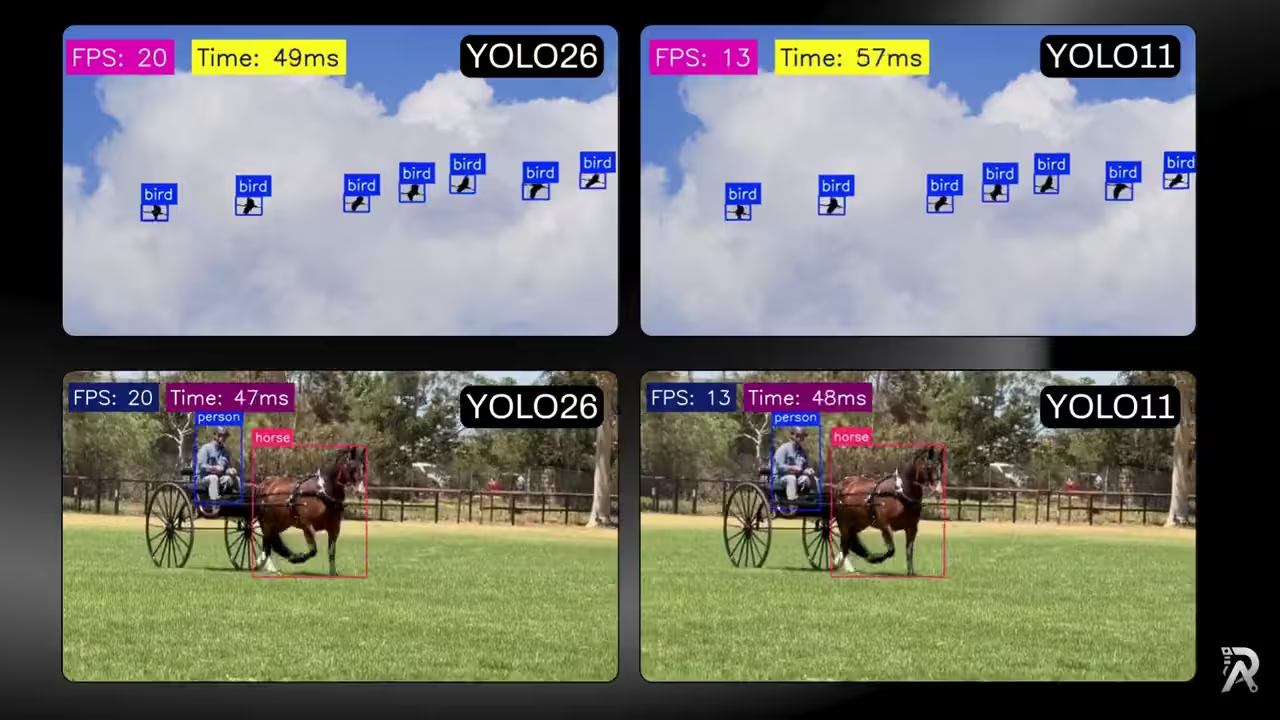
Build one small, reusable class that runs Ultralytics YOLO26 and Ultralytics YOLO11 as ONNX models, draws clean detections, and overlays live FPS and latency so you can compare their real-time speed on the exact same footage.
Read article →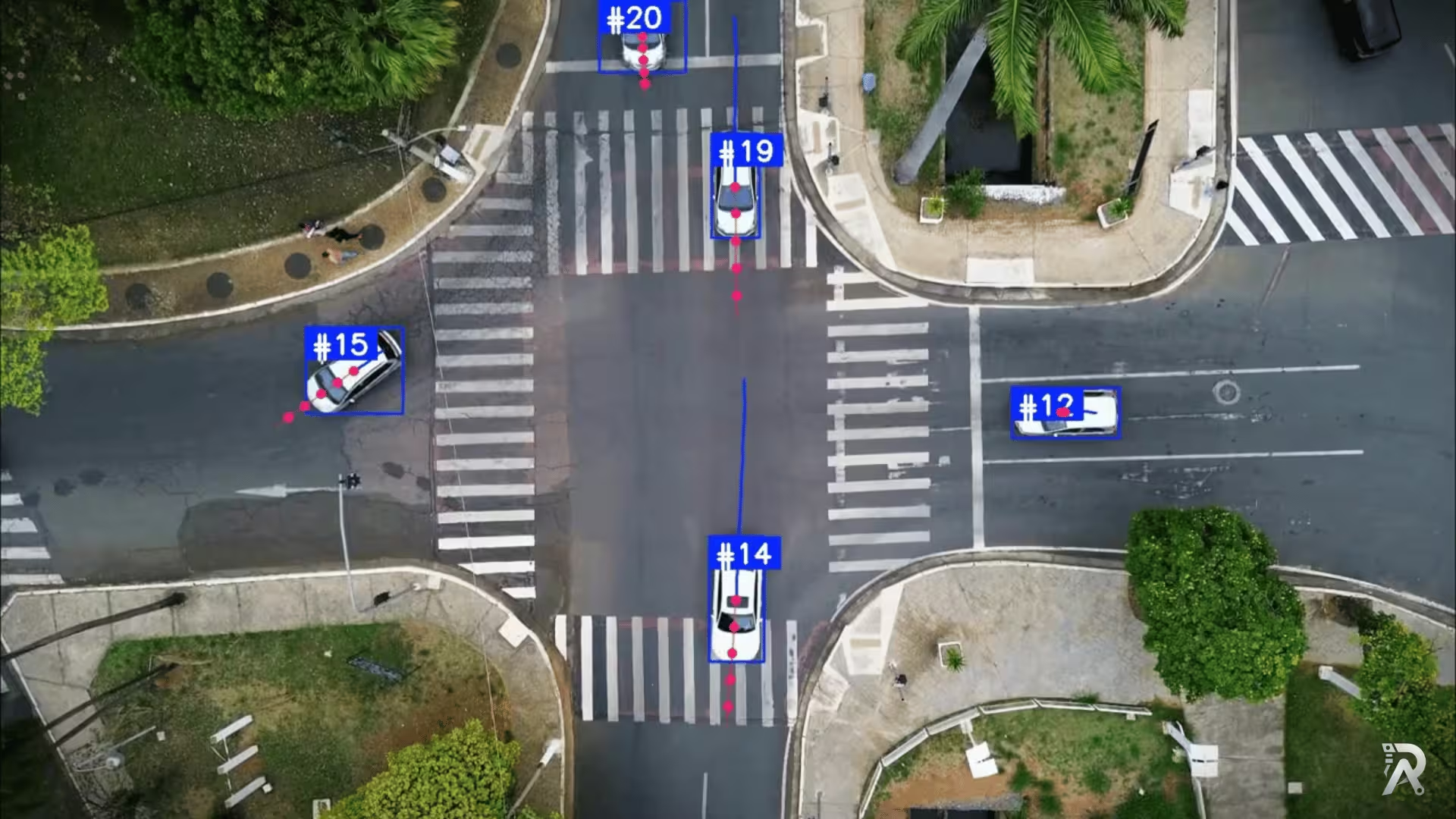
Object tracking and trajectory forecasting with YOLO26 and ByteTrack
Detect, track, and predict the future path of people and vehicles using Ultralytics YOLO26, ByteTrack, and a lightweight velocity-based forecasting model.
Read article →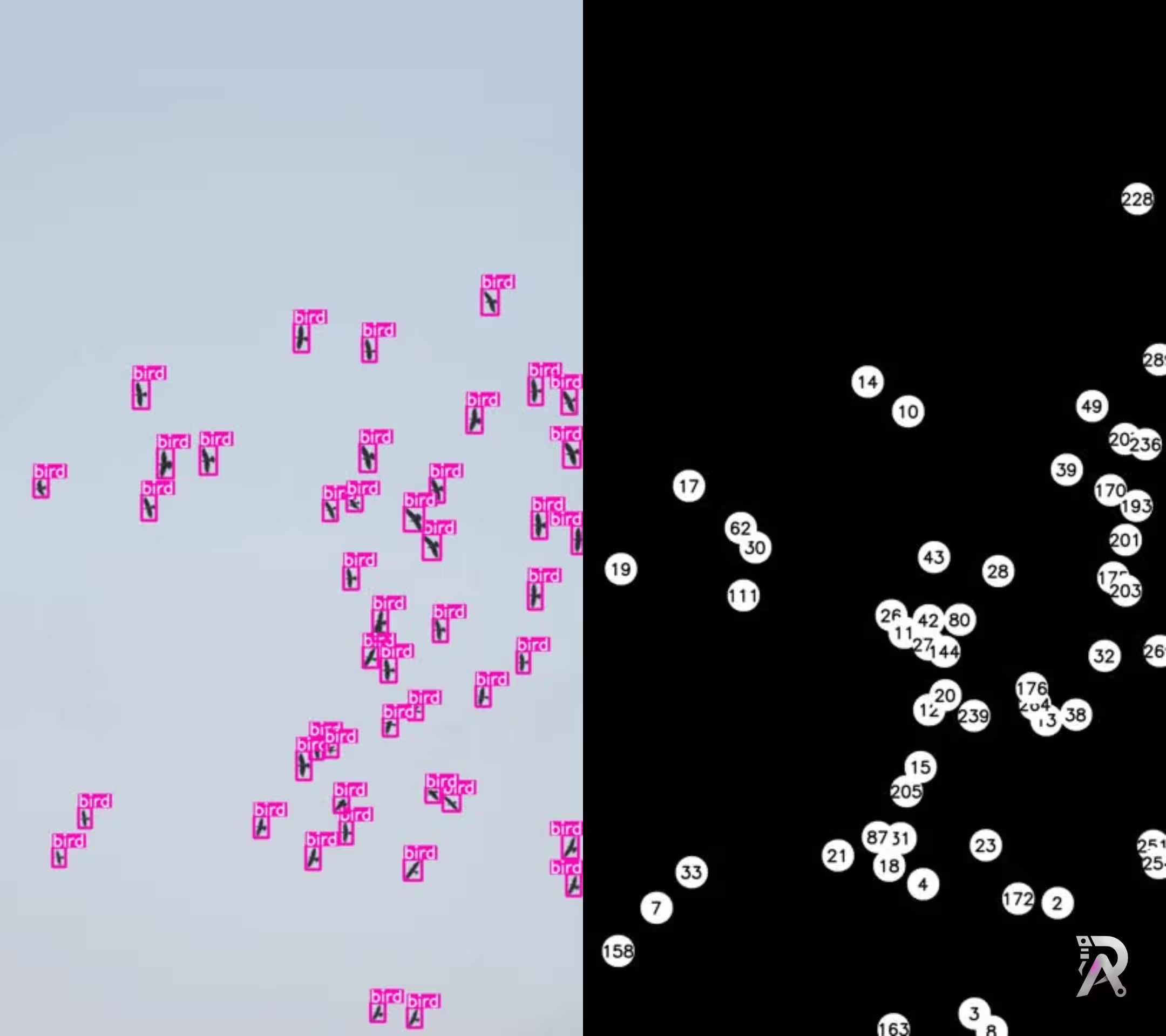
Real time bird detection and tracking using YOLO11
Learn how to detect and track birds using Ultralytics YOLO11 for real-time monitoring and ecological research through computer vision.
Read article →
Computer Vision Engineer and top contributor to the YOLO project, building production AI and deep learning systems.
My course on LinkedIn LearningHands-On AI: Computer Vision Projects with Ultralytics and OpenCV