
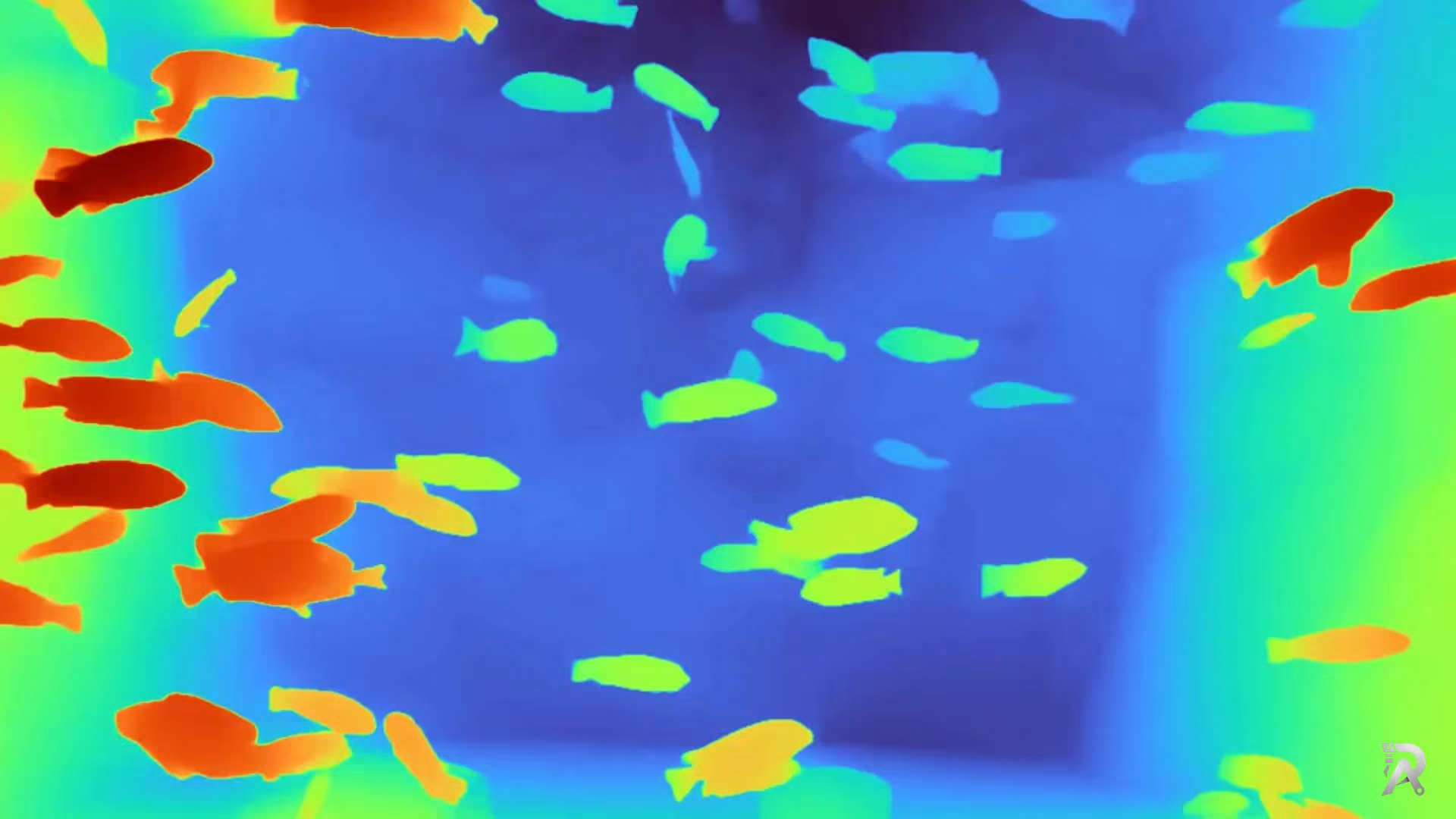
Estimating depth used to mean two cameras and a lot of calibration, or an expensive LiDAR unit bolted to the top of a rig. Depth Anything V2 throws most of that out. You hand it a single ordinary photo, and it hands back a dense depth map: a per-pixel guess at how far everything is from the camera.
In this guide we run Depth Anything V2 on an image, a video, and a live webcam using one small, reusable Python class. No stereo pair, no depth sensor, just one model and a few lines of code.
Just want the command? Jump to python run.py --encoder vitl --img-path assets/examples --outdir depth_vis, the official CLI, with every flag explained.
Just want the weights? All three checkpoints, straight from the official Hugging Face repos. Nothing in the way.
| Checkpoint | Encoder | Size | License | Download |
|---|---|---|---|---|
| depth_anything_v2_vits.pth | ViT-S · 24.8M | 95 MB | Apache-2.0 | Get the file |
| depth_anything_v2_vitb.pth | ViT-B · 97.5M | 372 MB | CC-BY-NC-4.0 | Get the file |
| depth_anything_v2_vitl.pth | ViT-L · 335.3M | 1.25 GB | CC-BY-NC-4.0 | Get the file |
Shipping this commercially? Take Small. It is the only one of the three under Apache-2.0. Base and Large are CC-BY-NC-4.0, research and non-commercial only. Sizes, parameters, the metric-depth checkpoints and the full licensing breakdown are on the Depth Anything V2 weights page. There is no vitg checkpoint; it is listed as "coming soon" in the README and was never released.
Once you have a .pth file next to your script, the rest of this guide runs it.
What is Depth Anything V2
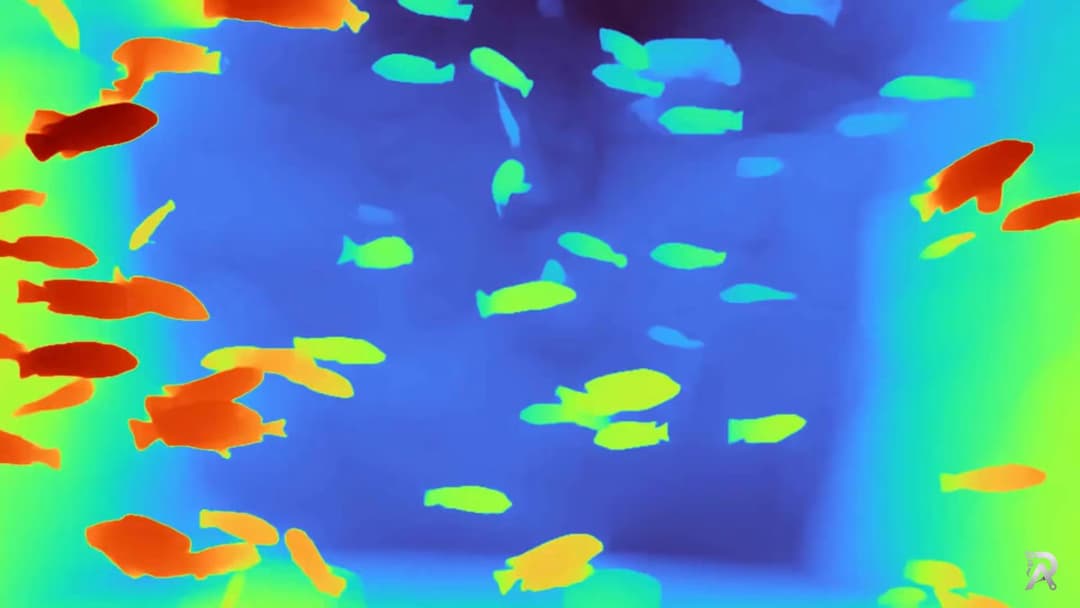
Depth Anything V2 is a monocular depth estimation model. "Monocular" is the important word: it works from one image, not a stereo pair. Given an RGB frame, it predicts a depth value for every pixel, so you get a full depth map instead of a sparse point cloud.
A few things make it stand out from older approaches like MiDaS:
- The training recipe is clever. Instead of chasing more labeled real photos, the authors trained a strong teacher on high-quality synthetic images, then used it to pseudo-label a huge pile of unlabeled real images. The student model learns from those labels, which gives it sharp edges and thin structures that older models smear over.
- It comes in sizes. There are ViT-Small, ViT-Base, and ViT-Large encoders, so you can trade accuracy for speed depending on your hardware.
- It is fast. The small model is light enough to run on a CPU for single images and comfortably real time on a GPU for video.
- It is robust. It holds up on scenes it never saw during training, from close-up faces to wide outdoor shots.
By default the model returns relative depth. That means it tells you what is near and what is far, on a consistent scale within one image, but not the actual distance in meters. That is exactly what you want for visualization, background blur, or 3D effects. If you need true metric depth, there are separate fine-tuned checkpoints for that, and we will point to them at the end.
Depth Anything V2 vs V1 vs Depth Anything 3
"Depth Anything" now covers three generations plus a video variant, and picking the wrong one costs you either accuracy or a licence you cannot ship. Here is how they line up.
| Model | Released | What it is for | Use it when |
|---|---|---|---|
| Depth Anything V1 | CVPR 2024 | The original relative-depth model | Almost never now, V2 supersedes it |
| Depth Anything V2 | NeurIPS 2024 | Relative depth from a single image | Default choice, and what this guide covers |
| Video Depth Anything | 2025 | Temporally stable depth for video | Depth flickers between frames |
| Depth Anything 3 | November 2025 | The successor generation | You want the newest and can absorb the churn |
V1 to V2 is the jump that matters. V1 leaned on labelled real photos, which capped how sharp its edges could get. V2 flipped the recipe: train a strong teacher on high-quality synthetic images, then use that teacher to pseudo-label a very large pool of unlabelled real photos, and train the student on those. The result is noticeably cleaner thin structures, hair, railings, and foliage, the places older models smear into mush.
So why does this guide still target V2? Because V2 is the one that is actually deployed. It has the wider ecosystem, the ONNX and TensorRT export paths people have already trodden, and the checkpoints most downstream projects expect. Depth Anything 3 is the newer generation and worth watching, but if you are shipping something this quarter, V2 is the safer floor.
One caveat that catches people out: the encoder decides your licence, not the model family. Only the Small checkpoint is Apache-2.0. Base and Large are CC-BY-NC-4.0, so they are research and non-commercial only. If this is going into a product, take Small or budget for a different model. The full breakdown lives on the Depth Anything V2 weights page.
What you need
Depth Anything V2 ships as a GitHub repo with a small Python package inside it. Clone it, install the requirements, and download one checkpoint:
# 1. Clone the official repo
git clone https://github.com/DepthAnything/Depth-Anything-V2
cd Depth-Anything-V2

# 2. Install dependencies
pip install -r requirements.txt
Then grab a model checkpoint and drop it in the repo folder. The three files are in the download table at the top of this page, and every one of them is listed with its parameter count, size and license on the Depth Anything V2 weights page.
The filename matters. The class below builds it from the encoder name, so vits looks for depth_anything_v2_vits.pth. Keep the checkpoint next to your script inside the Depth-Anything-V2 directory.
A quick note on licensing: the small checkpoint is Apache 2.0, while the base and large weights are released under CC-BY-NC-4.0 (non-commercial). If this is going into a product, reach for the small model or the metric variants that suit your license.
Run Depth Anything V2 from the command line (run.py)
If you just want depth maps out of a folder of images and don't need any custom code, the official repo ships a run.py you can call directly. This is the command most people are looking for. Point it at a single image, a directory, or a text file of paths:
# Run on a folder of images with the large encoder
python run.py \
  --encoder vitl \
  --img-path assets/examples \
  --outdir depth_vis
The same script handles a single file just as happily:
# Run on one image, and write only the depth map (no side-by-side)
python run.py --encoder vits --img-path my_photo.jpg --outdir depth_vis --pred-only
The flags worth knowing:
--encoderpicks the model size:vits,vitb, orvitl. It must match the checkpoint you downloaded.--img-pathtakes a single image, a folder, or a.txtfile with one image path per line.--outdiris where the results are written.--pred-onlywrites just the depth map instead of a side-by-side with the input image.--grayscaleskips the color map and saves a plain grayscale depth image.--input-size(default 518) trades speed for detail; larger is sharper and slower.
That is the fastest way to confirm the model and checkpoint are wired up correctly. The rest of this guide builds a small, reusable class instead, so you can fold depth estimation into your own image, video, and webcam pipelines rather than shelling out to a script.
The full script
Here is the complete script. Save it as depth_anything_v2.py inside the Depth-Anything-V2 folder so the depth_anything_v2 package imports cleanly. We walk through the important parts right after.
import cv2
import torch
import numpy as np
import matplotlib
from depth_anything_v2.dpt import DepthAnythingV2


class DepthAnythingPredictor:
    def __init__(self, encoder="vitb", device=None):
        self.device = device or (
            "cuda" if torch.cuda.is_available()
            else "mps" if torch.backends.mps.is_available()
            else "cpu"
        )

        model_configs = {
            "vits": {"encoder": "vits", "features": 64,
                    "out_channels": [48, 96, 192, 384]},
            "vitb": {"encoder": "vitb", "features": 128,
                    "out_channels": [96, 192, 384, 768]},
            "vitl": {"encoder": "vitl", "features": 256,
                    "out_channels": [256, 512, 1024, 1024]},
        }

        if encoder not in model_configs:
            raise ValueError(f"Invalid encoder: {encoder}")

        # Load model and weights, then move to the chosen device in eval mode.
        self.model = DepthAnythingV2(**model_configs[encoder])
        self.model.load_state_dict(
            torch.load(f"depth_anything_v2_{encoder}.pth", map_location="cpu")
        )
        self.model = self.model.to(self.device).eval()

        # Colormap used to turn a raw depth map into a viewable image.
        self.cmap = matplotlib.colormaps["turbo"]

    def infer_image(self, image):
        """Run depth estimation on a single BGR image (as read by OpenCV)."""
        return self.model.infer_image(image)  # float32 depth map, HxW

    def colorize(self, depth):
        """Normalize a depth map to 0-1 and apply the turbo colormap."""
        depth_norm = (depth - depth.min()) / (depth.max() - depth.min() + 1e-8)
        colormap = self.cmap(depth_norm)[:, :, :3]        # RGB float in 0-1
        colormap = (colormap * 255).astype(np.uint8)
        return cv2.cvtColor(colormap, cv2.COLOR_RGB2BGR)  # back to BGR for OpenCV

    def infer_and_save_image(self, img_path, save_path="depth.png"):
        """Infer depth from an image file and save the colored depth map."""
        img = cv2.imread(img_path)
        depth = self.infer_image(img)
        color = self.colorize(depth)
        cv2.imwrite(save_path, color)
        return depth, color

    def infer_video(self, video_path, save_path="depth_video.mp4"):
        """Run depth estimation on a video (or webcam index) and save the result."""
        cap = cv2.VideoCapture(video_path)

        fps    = cap.get(cv2.CAP_PROP_FPS) or 30
        width  = int(cap.get(cv2.CAP_PROP_FRAME_WIDTH))
        height = int(cap.get(cv2.CAP_PROP_FRAME_HEIGHT))

        writer = cv2.VideoWriter(
            save_path,
            cv2.VideoWriter_fourcc(*"mp4v"),
            fps,
            (width, height),
        )

        while True:
            ret, frame = cap.read()
            if not ret:
                break

            depth = self.infer_image(frame)
            color = self.colorize(depth)
            writer.write(color)

            # Optional live preview; press "q" to stop early.
            cv2.imshow("DepthAnythingV2", color)
            if cv2.waitKey(1) & 0xFF == ord("q"):
                break

        writer.release()
        cap.release()
        cv2.destroyAllWindows()


if __name__ == "__main__":
    depth_model = DepthAnythingPredictor(encoder="vits")

    # Inference on a single image
    # depth, color = depth_model.infer_and_save_image("bus.jpg",
    #                               save_path="depth_turbo.png")

    # Inference on a video
    depth_model.infer_video("fish.mp4", "depth_output.mp4")

    # Inference on a webcam
    # depth_model.infer_video(0, "depth_webcam.mp4")
It's time to watch the Output 🚀
How the code works
The whole thing is one class, DepthAnythingPredictor. Load it once, then reuse it for as many images or frames as you like. Let us go through it piece by piece.
Pick the device and load the model
Depth models are heavy, so you load them a single time in __init__. First we choose the best available device, then load the weights that match the encoder.
self.device = device or (
    "cuda" if torch.cuda.is_available()
    else "mps" if torch.backends.mps.is_available()
    else "cpu"
)
This walks down a short priority list: an NVIDIA GPU (CUDA) first, then Apple Silicon (MPS), and finally CPU as a fallback. You never have to pass a device by hand, but you still can if you want to force one.
The model_configs dictionary holds the architecture settings for each encoder. This is the part people get wrong: the config you pass to DepthAnythingV2(...) has to match the checkpoint you downloaded. Ask for vits and the class both builds the small architecture and loads depth_anything_v2_vits.pth, so the two always line up.
Run inference on one image
The repo does the hard work for us. Its infer_image handles resizing, normalization, the forward pass, and resizing the result back to the original resolution.
def infer_image(self, image):
    return self.model.infer_image(image)  # float32 depth map, HxW
The output is a plain 2D NumPy array the same height and width as your input. Each value is a relative depth: larger means closer to the camera. It is not an image you can view directly yet, which is where the next method comes in.
Turn a depth map into something you can see
A raw depth map is just floating-point numbers. To look at it, we squash the values into the 0-1 range and run them through a colormap.
depth_norm = (depth - depth.min()) / (depth.max() - depth.min() + 1e-8)
colormap = self.cmap(depth_norm)[:, :, :3]
colormap = (colormap * 255).astype(np.uint8)
return cv2.cvtColor(colormap, cv2.COLOR_RGB2BGR)
Two details worth noticing:
- The
+ 1e-8is a tiny guard so we never divide by zero on a flat image whereminequalsmax. - Matplotlib gives colors back as RGB, but OpenCV expects BGR, so we convert at the end. Skip that swap and your reds and blues come out reversed.
We use the turbo colormap here because near and far read intuitively, but you can swap in any Matplotlib colormap, for example "magma" or "Spectral", by changing one line in __init__.
Save an image result
infer_and_save_image is the convenience wrapper for a single file: read the image, infer depth, colorize, and write it out.
img = cv2.imread(img_path)
depth = self.infer_image(img)
color = self.colorize(depth)
cv2.imwrite(save_path, color)
It returns both the raw depth array and the colored image, so you can keep the numbers for further processing while also saving a preview.
Process a video or webcam
infer_video opens a source with OpenCV, then loops frame by frame. The neat trick is that the same method handles both a file and a webcam, because cv2.VideoCapture accepts either a path string or a device index like 0.
cap = cv2.VideoCapture(video_path)
fps = cap.get(cv2.CAP_PROP_FPS) or 30
We read the source frame rate and size so the output video matches the input. The or 30 is a small safety net, since some webcams report a frame rate of 0. Inside the loop we infer depth, colorize, write the frame, and show a live preview you can quit any time by pressing q. When the stream ends, we release the writer and capture and close the window.
Running it
Point the script at a video and let it run:
depth_model = DepthAnythingPredictor(encoder="vits")
depth_model.infer_video("fish.mp4", "depth_output.mp4")
You get depth_output.mp4, a colored depth version of your clip. For a single photo, uncomment the image line and give it a file:
depth, color = depth_model.infer_and_save_image("bus.jpg",
                            save_path="depth_turbo.png")
Want the biggest, sharpest depth maps? Change one argument:
depth_model = DepthAnythingPredictor(encoder="vitl") # needs the vitl checkpoint
That is the whole point of the config table: switching model size is a single word, as long as you have downloaded the matching checkpoint.
Where this is useful
A cheap, single-image depth map opens up a lot of practical work:
- Portrait and background blur: blur everything past a depth threshold to fake a wide-aperture look.
- 3D photo effects: drive a parallax or "2.5D" animation from the depth map.
- Robotics and drones: get a rough sense of obstacles from a single camera when LiDAR is not on the budget.
- AR and scene understanding: place virtual objects at believable distances.
- Image and video editing: depth-aware relighting, fog, and compositing.
- Dataset creation: generate pseudo depth labels to bootstrap other models.
Metric depth: real distances in meters
Everything above produces relative depth. The values are consistent within one image (this pixel is closer than that one), but they reset for every frame and they are not meters. For a lot of work, ordering objects near to far, background blur, 3D effects, that is exactly what you want.
When you need actual distances, use the metric depth checkpoints. These are the same architecture fine-tuned on datasets with real depth labels, so they output meters: an indoor model trained on Hypersim and an outdoor model trained on Virtual KITTI. They live in the metric_depth folder of the repo, load the same way, and take a max_depth argument (around 20 for indoor scenes, 80 for outdoor). Pick the checkpoint that matches your scene, because an indoor model will not read a street correctly and vice versa.
Faster inference with ONNX and TensorRT
The PyTorch model in this guide is the simplest way to get going, and the small encoder is fine for images and short clips. When you need throughput, for long videos or a live stream, export the model and run it through an optimized engine:
- ONNX Runtime is the low-friction option. Export the model to ONNX once, then run it with the CUDA or TensorRT execution provider. Good speed-up, minimal code.
- TensorRT goes further on NVIDIA hardware by building an engine tuned to your exact GPU and precision (FP16 usually costs almost no quality). It is the fastest path for real-time depth on a Jetson or an RTX card.
Curious what the exported graph actually looks like? Drop the ONNX file into the free, in-browser ONNX visualizer to see every layer, its shapes and parameter counts, no upload required.
Video Depth Anything: flicker-free depth for video
Running Depth Anything V2 frame by frame, like the infer_video method above, works, but each frame is estimated independently, so the depth can shimmer or flicker slightly between frames. For clips where that matters, there is a dedicated model: Video Depth Anything. It is built for temporal consistency, producing stable depth across long videos while keeping the same sharpness. If your target is video rather than stills, follow the Video Depth Anything Python guide for its checkpoints, command-line example and reusable script.
Tips for better results
- Match the model to your hardware. Use
vitson CPU or for real-time video, andvitlon a GPU when quality matters most. - Remember it is relative depth. The scale resets per image, so you cannot directly compare depth values across two different frames. For consistent metric distances, use the metric depth checkpoints covered above.
- Feed it clean input. Sharp, well-lit frames give cleaner depth than motion-blurred or very dark ones.
- Resize huge frames first. 4K video is slow. Downscaling before inference speeds things up a lot with little visible loss for previews.
Wrapping up
Depth Anything V2 makes monocular depth estimation almost boring, in the best way. One model, one call, and any photo or video turns into a depth map you can build on. With the small class above you can drop it into any project and start experimenting in minutes.
If you are building depth, 3D, or vision features and want a hand, book a free consultation or read more tutorials. 🚀
FAQs
- Q:What is Depth Anything V2?
- A:Depth Anything V2 is a monocular depth estimation model. It looks at a single RGB image and predicts how far every pixel is from the camera, producing a dense depth map without stereo cameras or LiDAR.
- Q:Where do I download the Depth Anything V2 checkpoints (depth_anything_v2_vits.pth, vitb, vitl)?
- A:All three relative-depth checkpoints are hosted on Hugging Face by the depth-anything organization: vits (95 MB), vitb (372 MB) and vitl (1.25 GB). Direct download links, file sizes and the metric-depth variants are collected on the Depth Anything V2 weights page on this site. There is no vitg checkpoint; it was announced as coming soon and never released.
- Q:Can I use Depth Anything V2 commercially?
- A:It depends on the checkpoint. The small vits model is Apache-2.0 and safe for commercial products. The base (vitb) and large (vitl) models are CC-BY-NC-4.0, research and non-commercial use only. If you are shipping a product, build on vits or train your own distillation from the larger models' outputs where the license permits.
- Q:What is the difference between Depth Anything V1 and V2?
- A:V2 changed the training recipe. V1 learned from labelled real photos; V2 trains a teacher on high-quality synthetic images, uses it to pseudo-label a very large pool of unlabelled real photos, and trains the student on those. The practical difference is much sharper thin structures like hair, railings and foliage, which V1 tended to smear.
- Q:Is Depth Anything V2 still worth using now that Depth Anything 3 is out?
- A:For most projects, yes. Depth Anything 3 arrived in November 2025 and is the newer generation, but V2 remains the most widely deployed version: it has the broader ecosystem, well-trodden ONNX and TensorRT export paths, and the checkpoints most downstream projects expect. V2 is the safer choice if you are shipping soon; V3 is the one to watch.
- Q:How do I run Depth Anything V2 from the command line?
- A:The official repo ships a run.py script. After cloning it and downloading a checkpoint, run: python run.py --encoder vitl --img-path assets/examples --outdir depth_vis. It accepts a single image, a folder, or a text file of paths, and writes colored depth maps to the output directory.
- Q:Do I need a GPU to run Depth Anything V2?
- A:No. It runs on CPU, and on Apple Silicon it can use MPS. A CUDA GPU is far faster and is worth it for video, but the small ViT-S model is quick enough to try on CPU.
- Q:Which encoder size should I use?
- A:Start with the small (vits) model for speed, move to base (vitb) for a good balance, and pick large (vitl) when you want the sharpest, most accurate depth and have a GPU to spare.
- Q:Does Depth Anything V2 give metric depth in meters?
- A:The default models predict relative depth, which is great for visualization and ordering objects near to far. For real-world distances in meters, use the separate metric-depth checkpoints fine-tuned on indoor (Hypersim) or outdoor (Virtual KITTI) data.
- Q:Can I speed up Depth Anything V2 with ONNX or TensorRT?
- A:Yes. Exporting the model to ONNX and running it with ONNX Runtime or TensorRT gives a real speed-up on NVIDIA GPUs, especially for video, because the engine fuses and optimizes the graph for your exact hardware. The PyTorch model in this guide is the simplest starting point; ONNX or TensorRT is the next step once you need throughput.
- Q:Can Depth Anything V2 process video in real time?
- A:Yes, with a GPU. The small model runs at interactive frame rates on a modern GPU, and the script in this guide writes a colored depth video frame by frame while showing a live preview. For flicker-free depth across frames, look at Video Depth Anything, a separate model built for temporal consistency.
Related posts
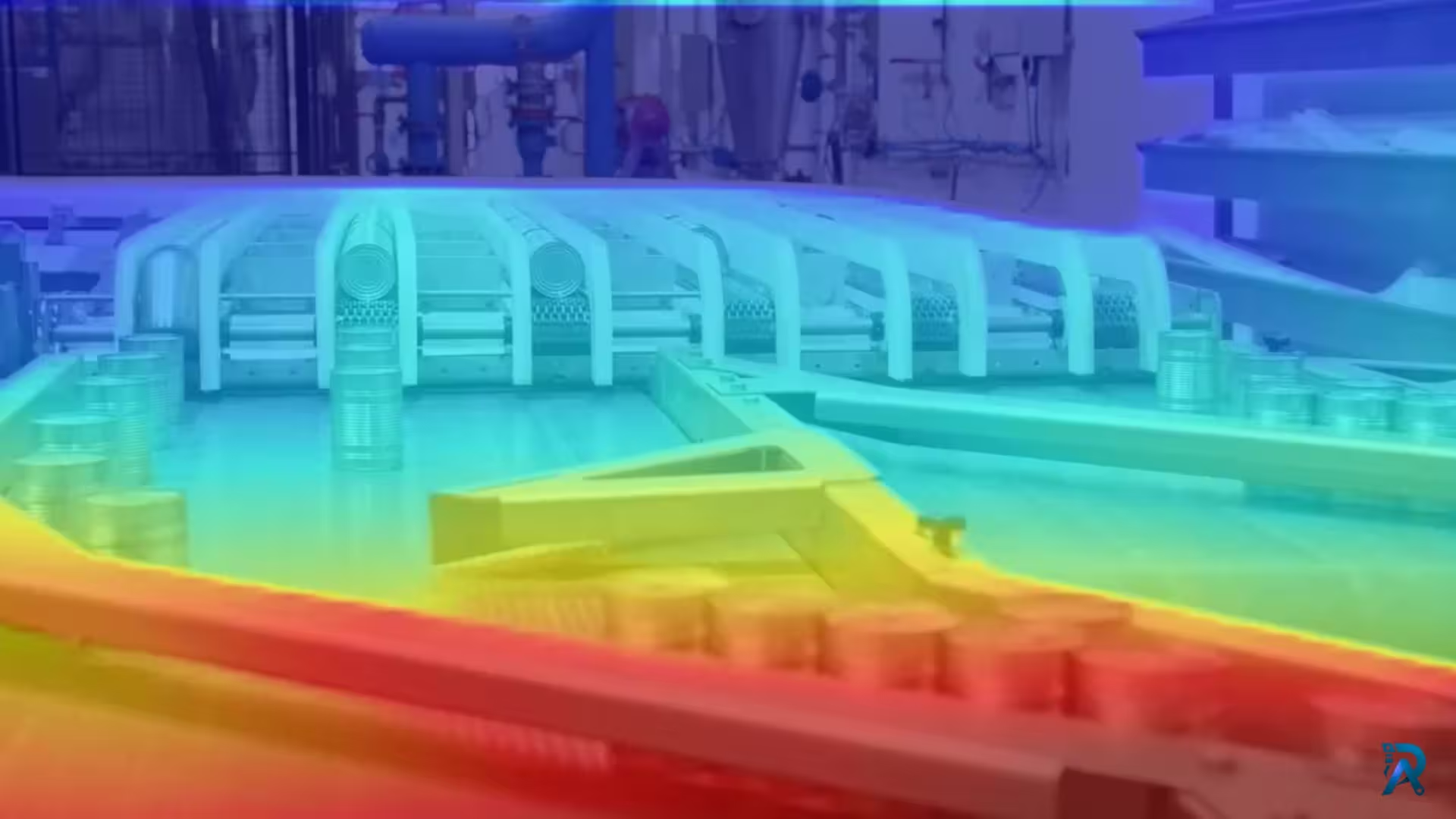
Video Depth Anything in Python: consistent depth for video
Depth Anything V2 run frame by frame flickers on video. Video Depth Anything fixes that with temporally consistent depth for long clips. Here is how to run it in Python, with the command line and a reusable script.
Read article →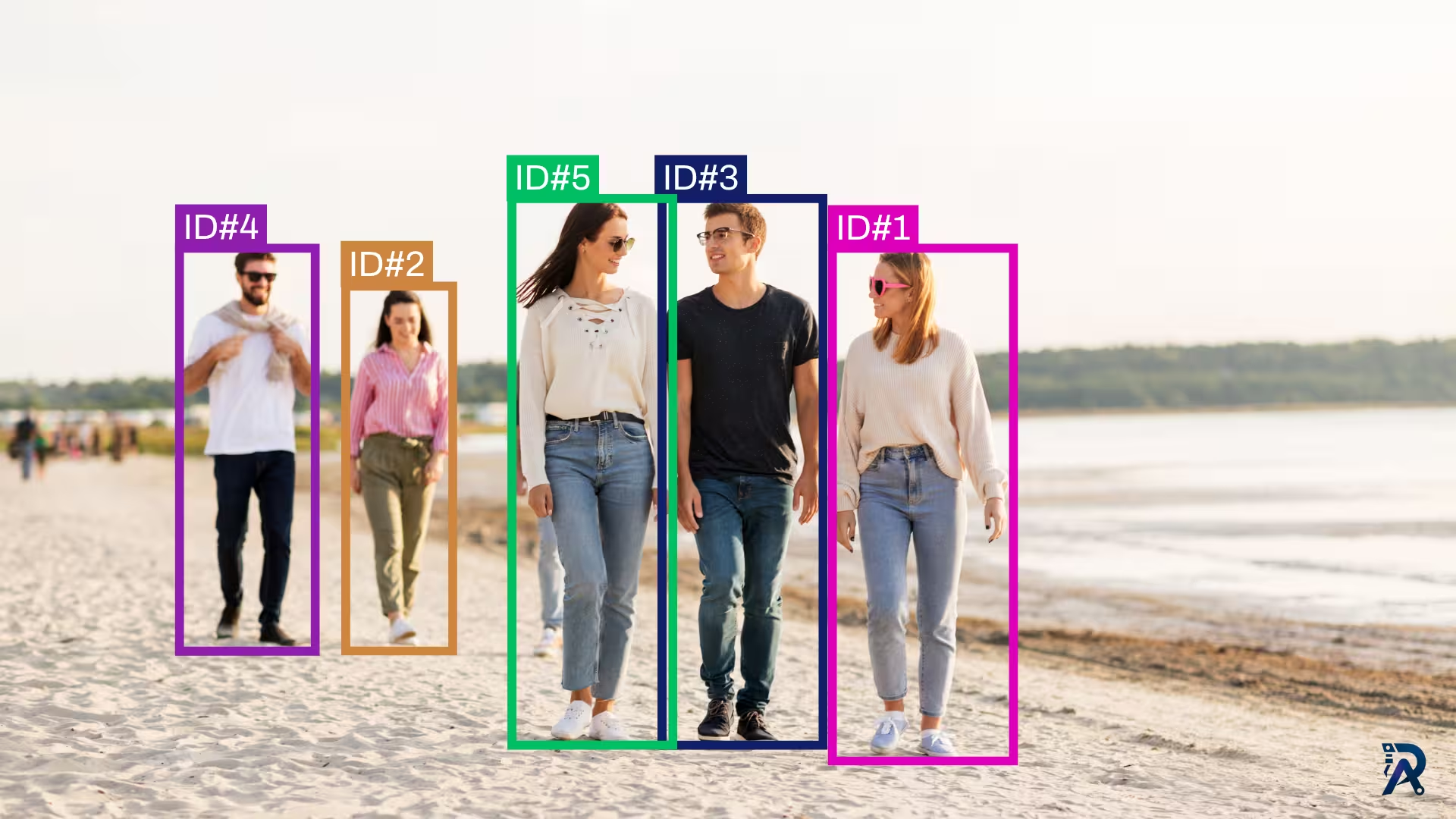
How to use ByteTrack with YOLO for object tracking in Python
Give YOLO a memory. This tutorial uses ByteTrack to assign persistent IDs to objects across video frames, with a runnable Ultralytics script and a bytetrack.yaml tuning guide.
Read article →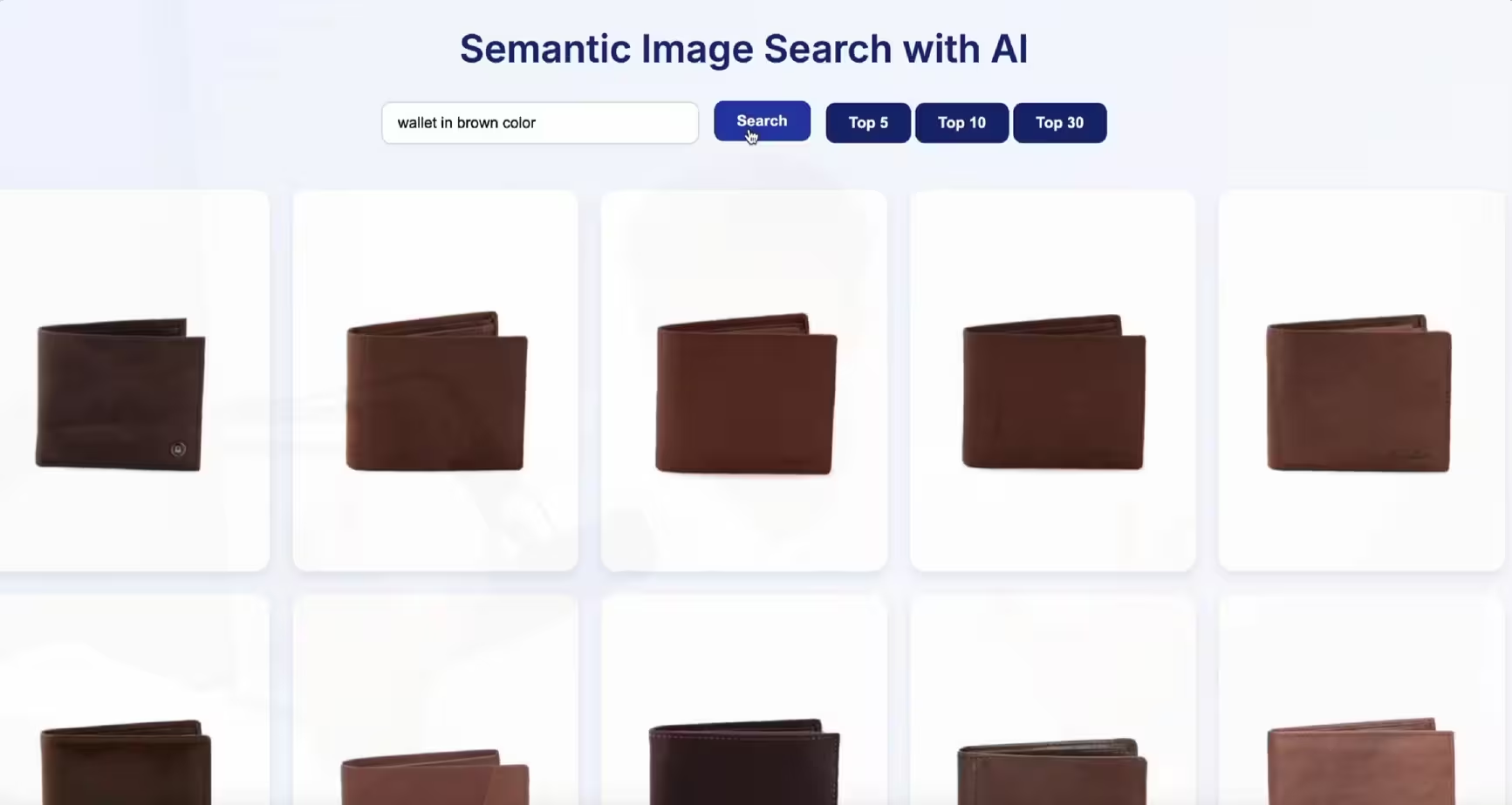
Build a semantic image search engine with CLIP and Python
Learn how to build a semantic image search engine that finds pictures by meaning. A few lines of Python turn a folder of images into a searchable index you can query in plain English.
Read article →
Computer Vision Engineer and top contributor to the YOLO project, building production AI and deep learning systems.
My course on LinkedIn LearningHands-On AI: Computer Vision Projects with Ultralytics and OpenCV